User Guide
What this guide is for
Section titled “What this guide is for”This page is the practical usage guide for Clash for AI.
Use it when you want one place to understand:
- how the local gateway works,
- how to add and activate providers,
- how to connect client tools,
- what the model list means,
- and what to check when something fails.
How the traffic flow works
Section titled “How the traffic flow works”Clash for AI sits between your client tool and the upstream relay provider.
The normal request path is:
- your tool sends a request to the local Clash for AI endpoint,
- Clash for AI loads the active provider,
- Clash for AI injects the upstream credential,
- Clash for AI forwards the request to the provider,
- the response is sent back to your tool,
- the request is recorded in the local log view.
This is why your tools can keep one stable local Base URL while the desktop app switches the upstream provider.
Provider setup checklist
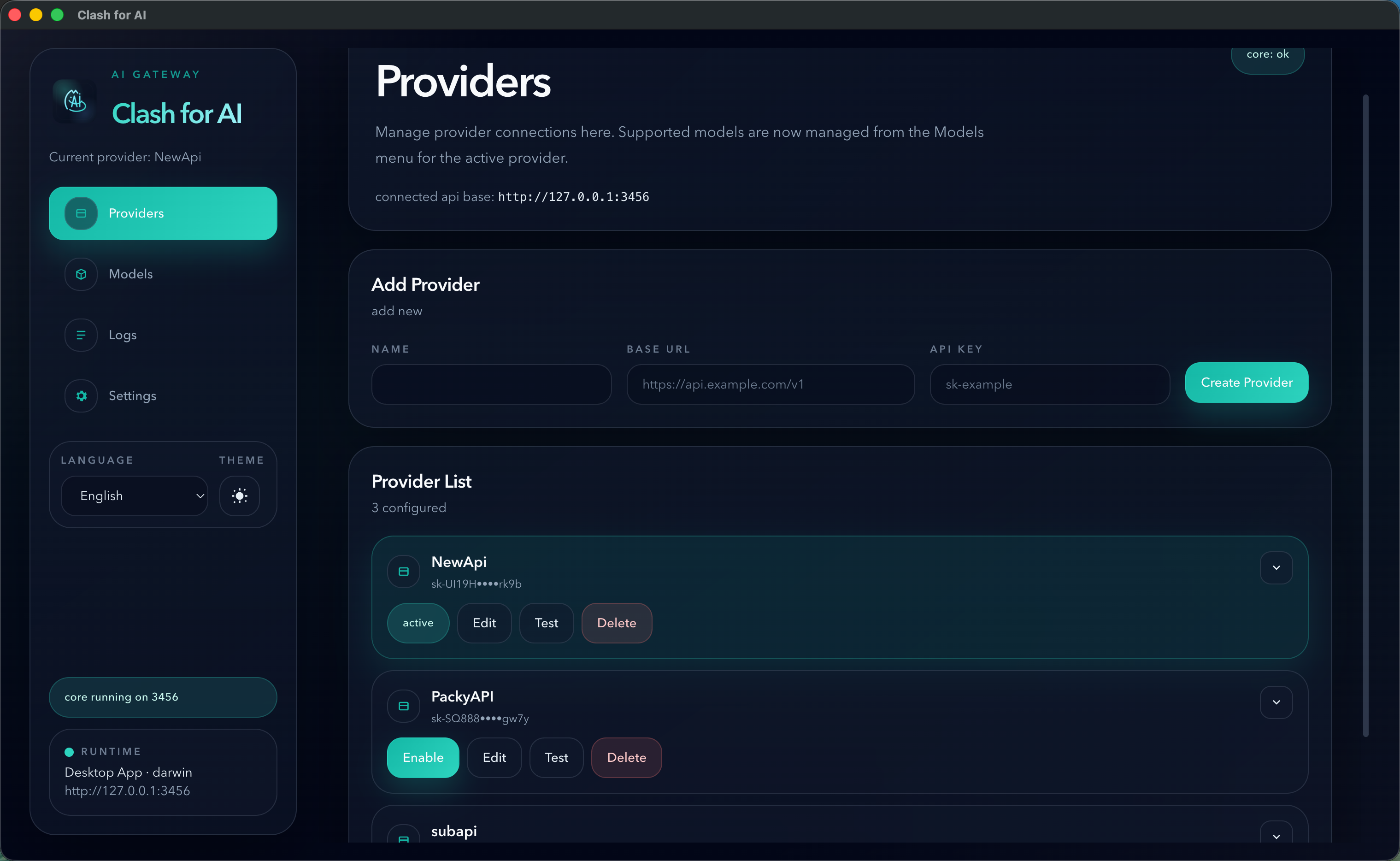
Section titled “Provider setup checklist”When you add a provider, check these fields carefully:
NameBase URLAPI Key
For OpenAI-compatible relay providers, the most reliable Base URL is usually the provider endpoint with /v1.
Examples:
https://example.com/v1https://api.example.com/v1If the provider documentation shows only a root domain, test both the documented value and the /v1 form if model discovery fails.
Tool setup checklist
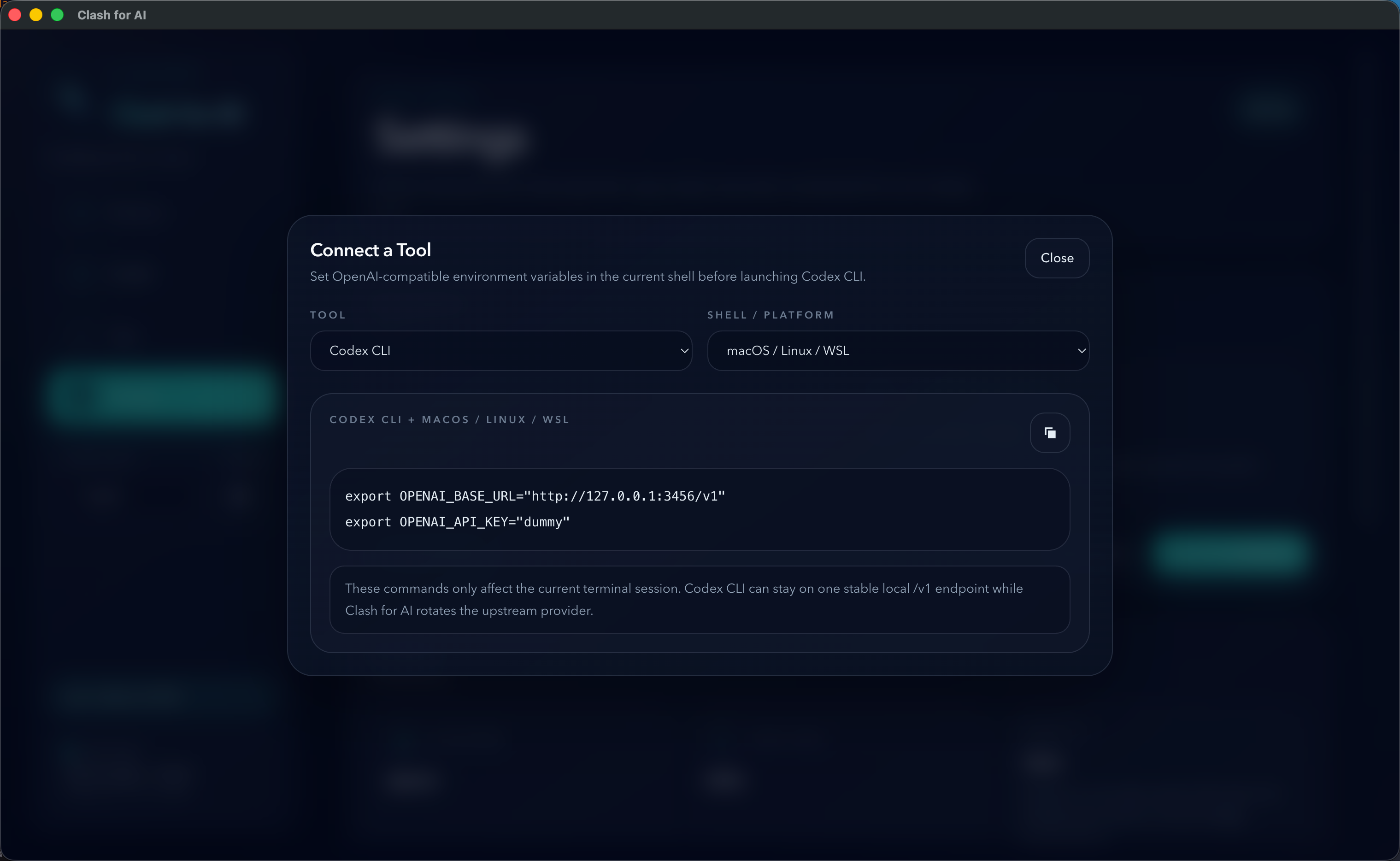
Section titled “Tool setup checklist”For most OpenAI-compatible clients, the simplest setup is:
Base URL: http://127.0.0.1:3456/v1API Key: dummyUse the actual local port shown in the desktop app if it is not 3456.
What the Models page actually does
Section titled “What the Models page actually does”The Models page does not choose the model on behalf of the client tool.
The client tool still decides the requested model name.
The ordered selected models in Clash for AI are used only as a fallback chain when:
- the incoming request is a JSON
POST, - the request already includes a model field,
- that model is already in the selected model list,
- and the upstream request fails with a retryable condition such as
429,5xx, or a network error.
If the requested model is not in the selected list, Clash for AI will not switch to a different fallback model automatically.
Model list compatibility notes
Section titled “Model list compatibility notes”Model discovery is a convenience feature, not a guaranteed feature of every relay provider.
Common reasons a model list may fail:
- the provider does not expose model discovery,
- the provider only supports
/v1/models, - the provider returns a non-standard response format,
- the provider uses a protocol Clash for AI does not support natively.
If the provider can serve requests normally but the model list fails, treat that as a compatibility issue with discovery, not necessarily as a provider failure.
Troubleshooting order
Section titled “Troubleshooting order”When something does not work, use this order:
- Check whether the local core is running.
- Confirm the
connected api basein the desktop app. - Run the provider health check.
- Verify the Base URL, especially whether
/v1is required. - Open the request logs and read the upstream error body.
- Re-test the same provider in a known OpenAI-compatible client.
Current protocol scope
Section titled “Current protocol scope”Clash for AI currently focuses on:
- OpenAI-compatible upstreams
- Anthropic-compatible upstreams
Gemini native protocol is not currently supported as a first-class upstream protocol.
Recommended next docs
Section titled “Recommended next docs”- Read Providers for compatibility notes.
- Read Tool Integration for client setup patterns.
- Read Deep Link Import if you want websites to open the desktop app and prefill import data.
- Read FAQ for model and fallback behavior clarifications.